
🎬 Generate with Gemini Omni
Gemini Omni AI Video Generator
The New Era of Video Creation
The unified omni-model with native video output, built for creators.
Gemini Omni turns text, images, and video references into polished clips — with in-chat editing and built-in audio.
Gemini Omni AI Video Generator
Gemini Omni AI Video Generator
Generate videos using cutting-edge AI models
 Google Gemini Omni
Note: Flash supports image, audio, and video inputs.
Note: 1080P videos take longer to generate
✨ Please login to try for FREE ✨
Video Reframe
Change the aspect ratio of any video up to 30 seconds long
Click to upload or drag and drop
Formats: MP4, WebM, QuickTime
✨ Please login to try for FREE ✨
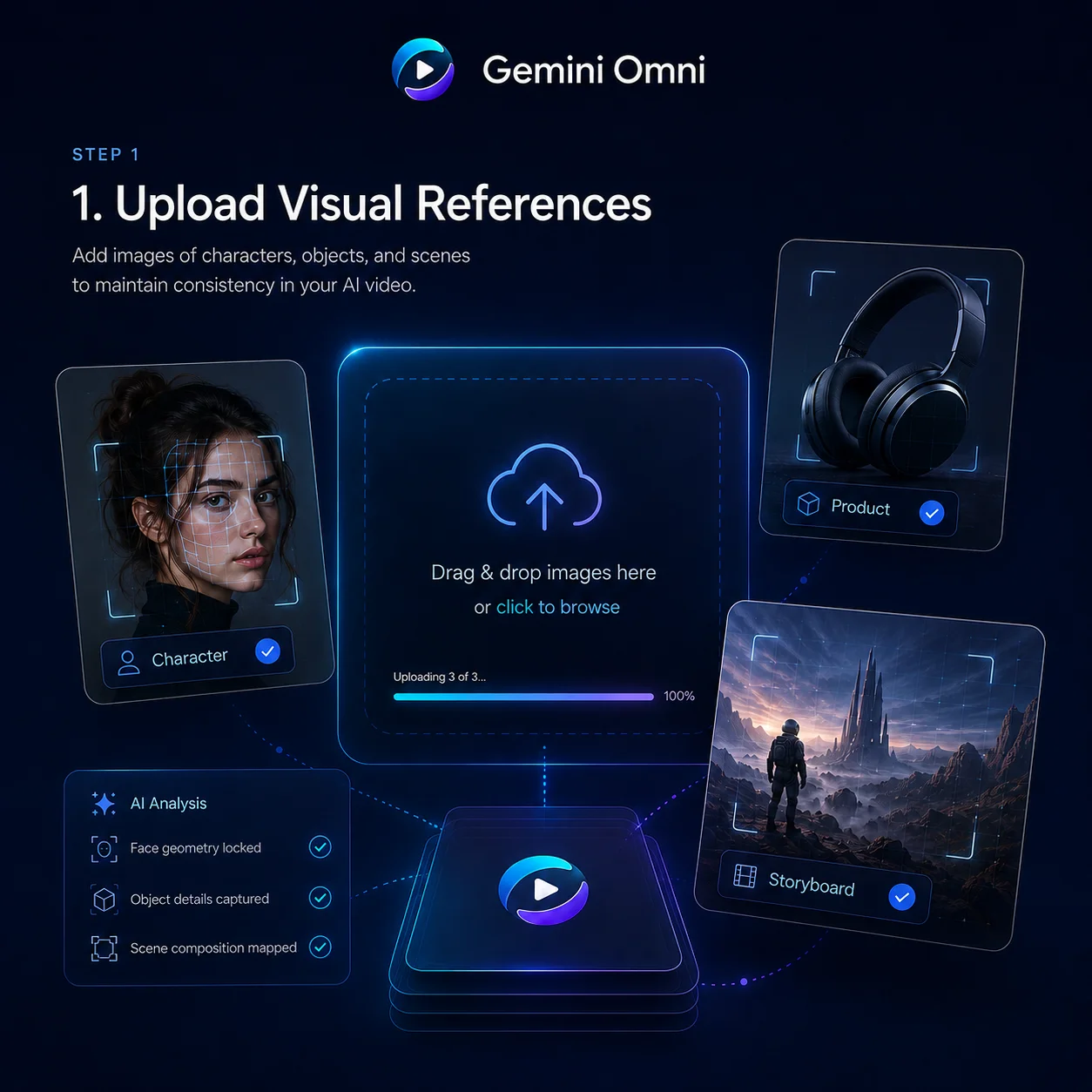
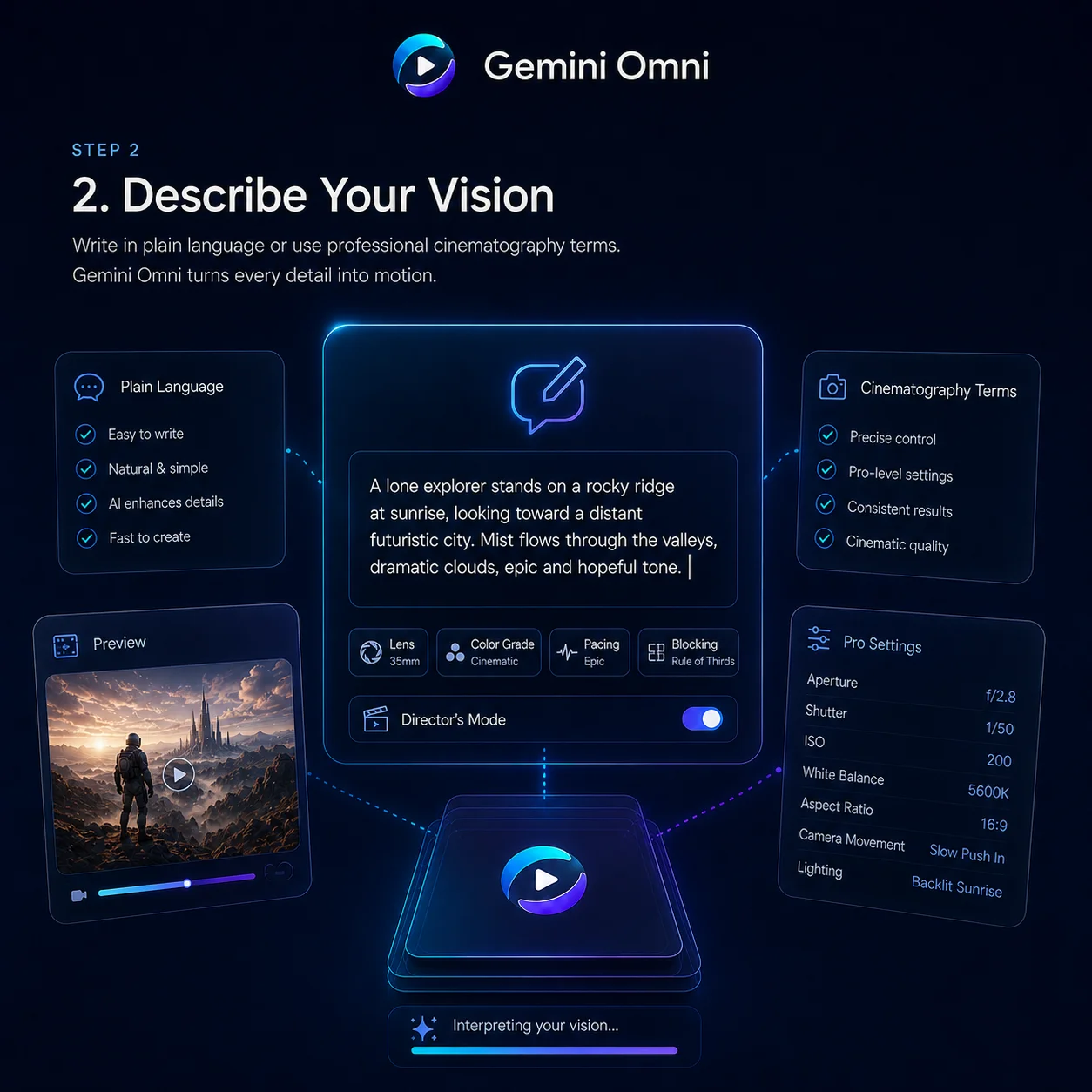
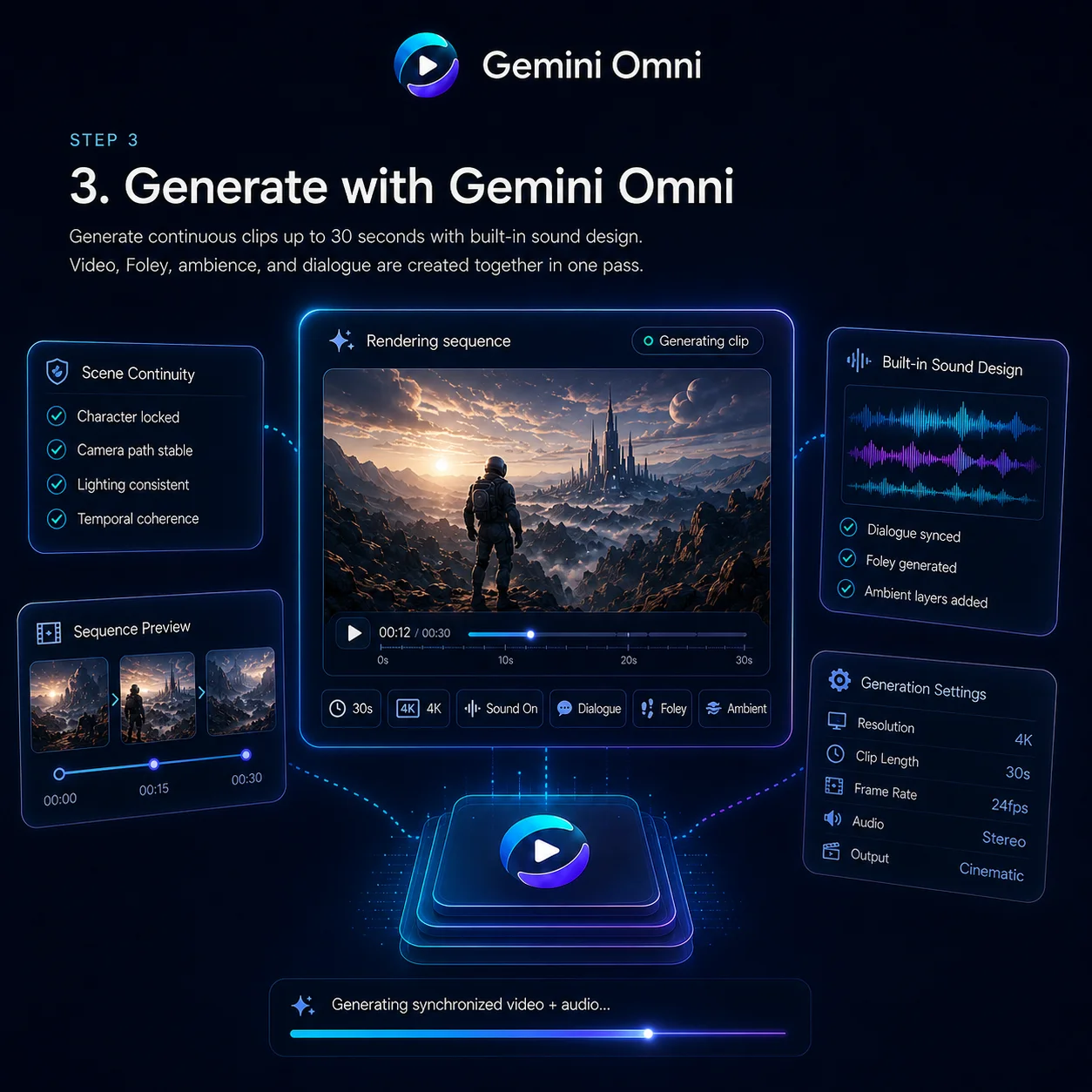
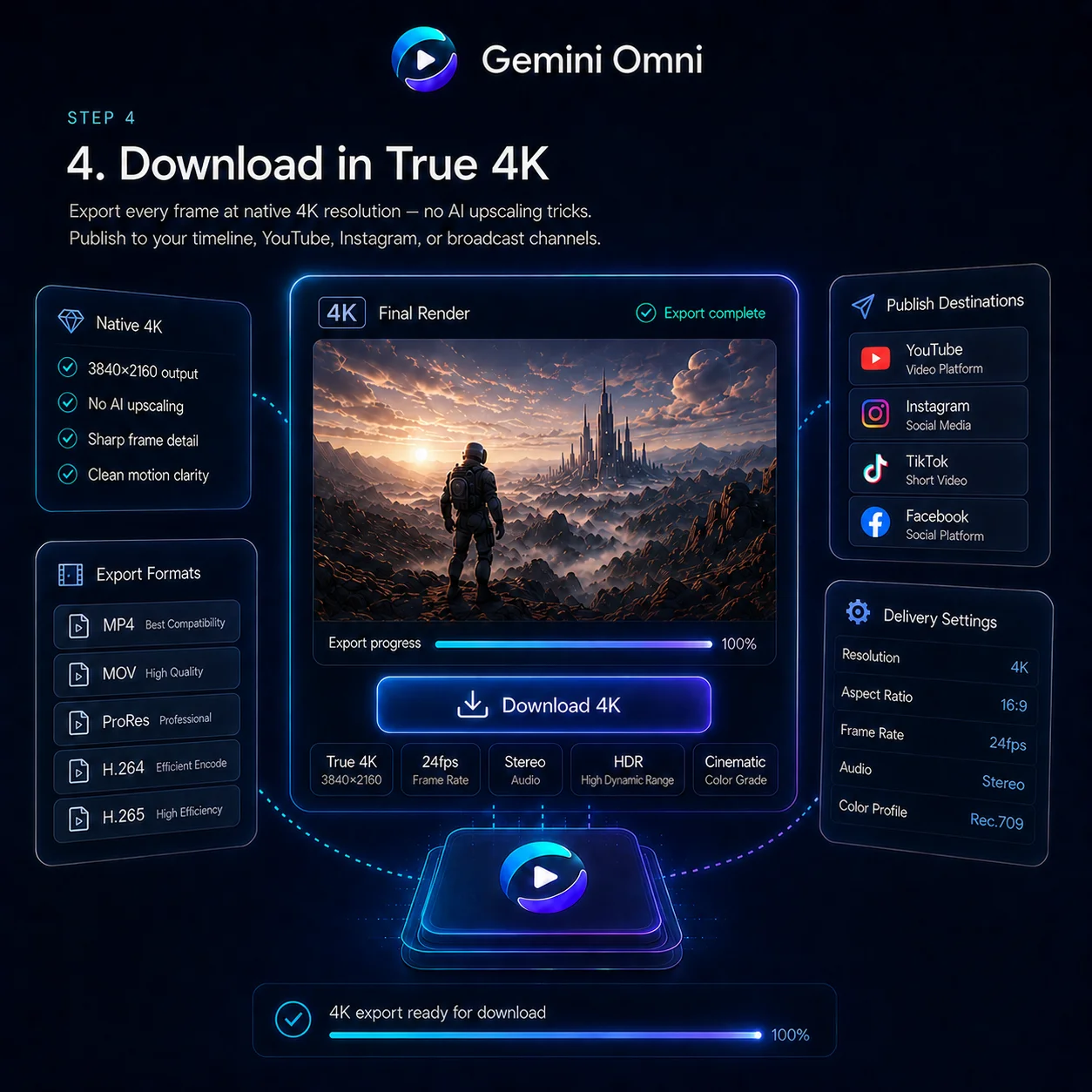
The Gemini Omni Studio Workflow
Our studio is built around the unified Gemini Omni omni-model. Generate, remix, and edit video through a single conversational interface — no tool-switching required.
What Makes Gemini Omni Different
Gemini Omni is not just a video generator — it is a unified omni-model that creates, edits, and remixes across text, image, and video in one system.
Unified Omni-Model
Natively multimodal from the ground up — feed Gemini Omni text, images, video clips, or audio and get polished video back. One unified model handles every input type, no tool-chaining or separate pipelines required.
In-Chat Video Editing
Gemini Omni lets you remix clips, swap objects, remove watermarks, and rewrite entire scenes through natural language instructions — all directly in the chat interface, no external software needed.
AI Avatars That Look Like You
Gemini Omni creates a digital avatar that mirrors your face and voice from a single photo. Use it in videos, presentations, or social content — your likeness stays consistent across every clip you generate.
Sketch-to-Video Creation
Feed Gemini Omni a napkin sketch or a rough wireframe and get back a fully animated scene. Hand-drawn strokes become camera-ready motion — no polished artwork required to start creating.
Integrated Foley & Dialogue
Gemini Omni synthesizes sound effects, ambient noise, and spoken dialogue alongside the visuals in a single pass. Audio is generated natively with the video — no separate sound-design step needed.
Built-In World Knowledge
Gemini Omni draws on deep understanding of history, science, and cultural context to produce accurate, meaningful scenes. Prompt a 1920s jazz club or a cellular mitosis sequence — the details are already there.
Why Gemini Omni Dominates AI Video
Core performance metrics of the Gemini Omni platform
Powered By
Omni
Google's Advanced Model
Video Quality
HD
Cinematic-grade output
Max Duration
10s
Per continuous clip
Gemini Omni for Every Creative Workflow
Whether you are a solo creator or a production studio, Gemini Omni adapts to the content you need — from vertical clips to long-form cinema.
Ad & Text Animation
Drop a script and Gemini Omni delivers each word with a unique animated style, perfectly paced to a rhythm. Create scroll-stopping ad sizzle reels where bold typography does the selling — no After Effects required.
Film & VFX Magic
A touch turns a mirror into rippling liquid; an arm shifts to reflective chrome in the same shot. Gemini Omni handles complex material transitions that would normally take a VFX team days to composite.
Character & Avatar Swap
Upload a photo and Gemini Omni transforms you into an anime character, a 3D avatar, or any style you describe. Your facial features stay recognizable while the entire look changes — one prompt is all it takes.
Architecture & Concept Viz
Gemini Omni constructs detailed 3D structures from a single reference image — wireframes rise with prismatic light and holographic depth. Architects and designers can visualize spatial concepts before committing to a build.
Education & Explainers
Gemini Omni turns dense subjects like protein folding into charming claymation explainers with authentic stop-motion texture. Educators get studio-quality educational content from a single descriptive prompt.
Music & Beat-Synced Visuals
Feed Gemini Omni a clip and a track, and on-screen action locks to the beat automatically. Lights pulse, objects sway, scenes cut in rhythm — turning any footage into a music video in seconds.
Pricing
Access Gemini Omni and other top-tier AI models, remove watermarks, and unlock fast generation.
700 Credits
Most popular for individual creators!
Includes
- 700 credits / month
- Credits never expire
- 4K Video Resolution
- Text/Image/Video to Video:
 Gemini OmniVeo 3.1
 Seedance 2.0
 - Text/Image to Image:
 GPT Image 2Nano Banana 2
 - No Watermark
- Private Generation
- Reframe / Remix Video
- Commercial License
cancel anytime
400 Credits
Perfect for trying out.
Includes
- 400 credits / month
- Credits never expire
- 4K Video Resolution
- Text/Image/Video to Video:Gemini OmniVeo 3.1Seedance 2.0
- Text/Image to Image:GPT Image 2Nano Banana 2
- No Watermark
- Private Generation
- Reframe / Remix Video
- Commercial License
cancel anytime
1500 Credits
Best for professional creators!
Includes
- 1500 credits / month
- Credits never expire
- 4K Video Resolution
- Text/Image/Video to Video:Gemini OmniVeo 3.1Seedance 2.0
- Text/Image to Image:GPT Image 2Nano Banana 2
- No Watermark
- Private Generation
- Reframe / Remix Video
- Commercial License
- Priority Support
cancel anytime
Why Creators Love Gemini Omni
Filmmakers, marketers, and game developers share how Gemini Omni is transforming their workflows.
Rachel Nguyen
VFX Supervisor
We used to lose weeks fixing flickering backgrounds and drifting faces in post. Gemini Omni handles temporal coherence natively during generation — it has cut our pre-vis pipeline time in half.
Marcus Bell
YouTube Creator
I used to stitch dozens of short clips together and pray the cuts looked natural. Gemini Omni's continuous takes with built-in audio let me focus on story, not seams.
Priya Sharma
Ad Creative Director
My team delivers over forty product spots each quarter. With Gemini Omni, going from brief to finished footage in one afternoon means freed budget goes straight into media spend.
Daniel Reeves
Documentary Filmmaker
In historical re-enactments, lighting, wardrobe, and set dressing must match the era exactly. Gemini Omni's prompt accuracy finally makes AI-generated footage viable for serious documentary work.
Anika Petrov
Indie Game Designer
Syncing Foley manually used to take longer than editing the trailer itself. Gemini Omni generates audio alongside visuals in a single pass — it has eliminated the biggest bottleneck in my workflow.
Tomás Herrera
Cinematography Instructor
Students learn dolly zooms and rack focus from textbooks. With Gemini Omni they can execute real camera moves from a text prompt — a hands-on sandbox before ever touching a rig.
Gemini Omni Around the Web
Catch the latest conversations and reactions from the AI creator community.
Inside Gemini Omni's Architecture
A technical overview of how Gemini Omni unifies multimodal generation into a single, physically grounded system.
Unified Transformer with Diffusion Decoder
Gemini Omni is a single Transformer that reasons across text, image, and video simultaneously. A Variational Autoencoder compresses video into a continuous 3D latent space (height × width × time), and a diffusion-style decoder converts those latents back into high-fidelity pixels.
Spatial-Temporal Attention
The Transformer alternates between spatial attention (composition within each frame) and temporal attention (motion and identity across frames). This dual mechanism preserves fine-grained detail — skin pores, smoke dynamics, fluid motion — while keeping characters and objects consistent throughout.
Shared Multimodal Tokenizer
Text, images, and reference frames are converted into a single internal token representation and processed by the same Transformer — no separate text encoder or retrieval step. This unified tokenization is why Gemini Omni understands complex cross-modal prompts natively.
Gemini Omni FAQ
Quick answers to the most common questions about the Gemini Omni AI video model.
What is Gemini Omni and what can it do?
Gemini Omni is a unified omni-model with native video output. Unlike standalone generators, it merges text, image, and video creation into one conversational system — letting you generate, remix, edit, and rewrite scenes directly in chat.
How is Gemini Omni different from Veo 3.1 or Sora?
Veo 3.1 is a dedicated video generator; Gemini Omni is a unified omni-model that handles text, image, and video in one system. It adds conversational video editing, realistic physics simulation, style and motion transfer, and persistent character consistency — capabilities no standalone model offers today.
Can I use my own face or product photos as references?
Yes. Identity preservation is a headline Gemini Omni feature. Upload a portrait or product image and the model will reproduce those exact visual details — facial structure, brand colors, surface textures — consistently throughout the generated video.
What is the maximum Gemini Omni video length?
A single Gemini Omni render can produce up to 10 continuous seconds of video. You can generate multiple clips and combine them for longer sequences with matched lighting and motion.
Does it generate sound effects and dialogue?
It does. Gemini Omni's audio module runs alongside the video diffusion process, outputting synchronized Foley, ambience, and dialogue in a single pass. No separate sound-design step needed.
What prompt style works best?
Anything from casual descriptions to detailed shot lists. Gemini Omni understands professional cinematography terms — prompts like 'handheld tracking shot, golden-hour backlight, shallow DOF' translate directly into matching camera work.
Start Creating with Gemini Omni
Generate stunning videos with character consistency, built-in audio, and cinematic quality — powered by Gemini Omni.