
如何用 Gemini Omni 制作 YouTube Shorts:9:16 提示词与工作流
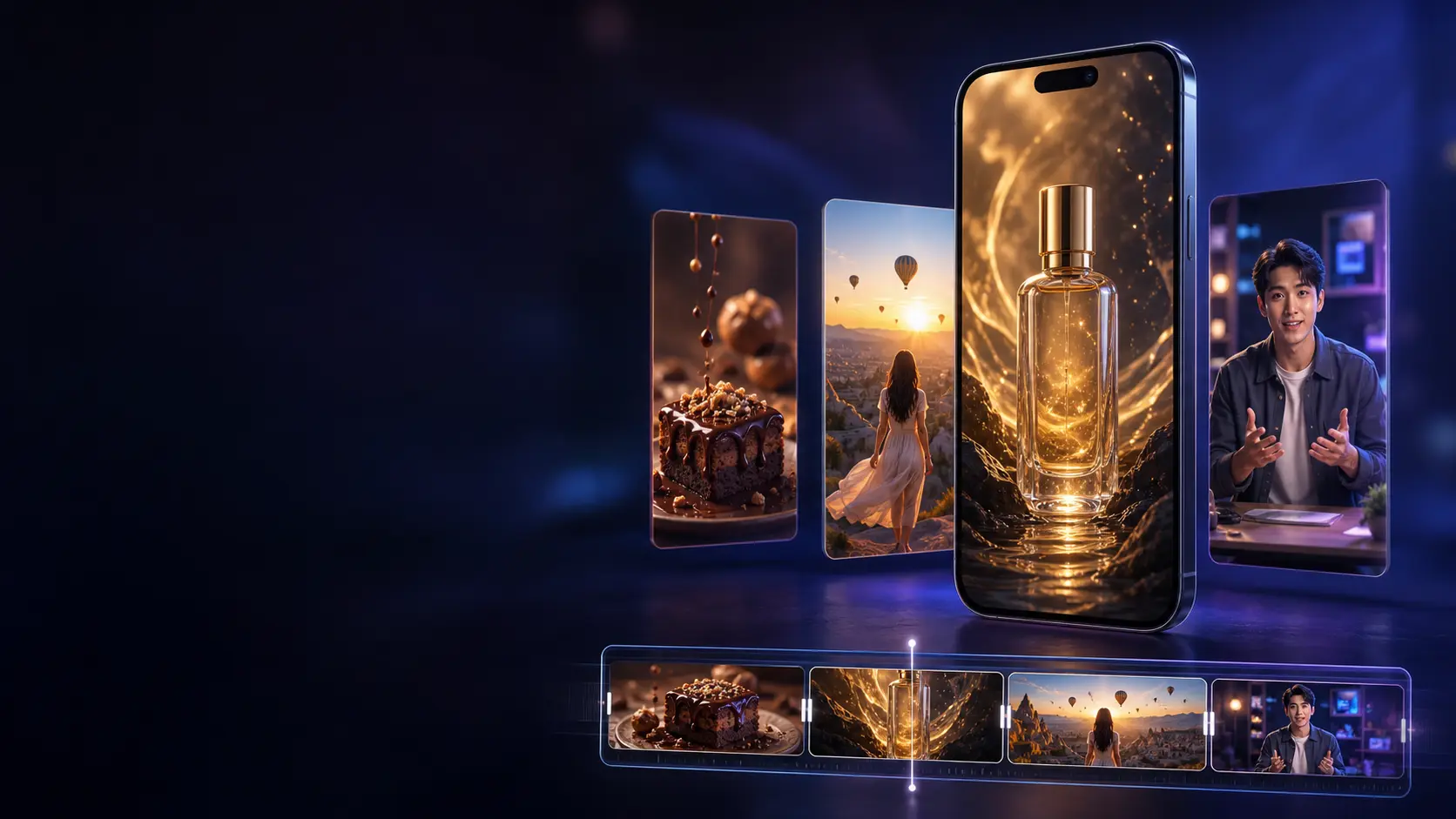
YouTube Shorts 偏爱这样的创意:能迅速抓住注意力,在手机屏幕上表达清晰,并且给观众继续看下去的理由。Gemini Omni 可以帮助创作者从文字提示词、参考图和已有的视觉构想出发,制作这类竖屏短视频,而无需组织传统的拍摄。
不过,仅仅选择 9:16 画幅并不足以做出一支有效的 Shorts。真正成功的作品还需要强有力的开场、适配手机的构图、受控的运动、恰当的声音,以及与时长相匹配的结构。
本指南将讲解如何用 Gemini Omni 制作 YouTube Shorts,包括推荐的导出设置、一套可复用的制作流程,以及实用的 9:16 提示词示例。
Gemini Omni 能做 YouTube Shorts 吗?
Gemini Omni 可以生成 9:16 画幅的竖屏视频,适用于 YouTube Shorts、Instagram Reels、TikTok 以及其他竖屏视频平台。
根据具体产品或实现方式,Gemini Omni 可能支持大约 3 到 10 秒的短片段。部分界面会提供 4、6、8、10 秒等固定选项。
一支 YouTube Short 可以远长于单个生成片段。目前时长不超过三分钟的方形或竖屏视频都可以被归类为 Shorts,但这并不意味着你应该试图一次性生成整整三分钟的视频。
更可控的做法是生成若干个聚焦的片段,然后在剪辑阶段拼接起来。例如,一支 30 秒的 Shorts 可以包含:
- 5 秒的视觉钩子
- 8 秒的问题或铺垫
- 两段 6 秒的演示片段
- 5 秒的结论或行动号召
分开生成场景,可以让你在替换某个薄弱镜头时,不必重做整支视频。
推荐的 YouTube Shorts 格式
以下设置可作为实用的起点:
| 设置项 | 建议值 |
|---|---|
| 画幅比例 | 9:16 |
| 分辨率 | 1080 × 1920 |
| 文件格式 | MP4 |
| 视频编码 | H.264 |
| 帧率 | 24 或 30 FPS |
| 音频编码 | AAC |
| 音频采样率 | 48 kHz |
| 色彩空间 | SDR BT.709 |
| 单段时长 | 每个生成场景 4–10 秒 |
| 成片总时长 | 创意允许的最短长度;最长支持三分钟 |
YouTube 也可以把方形视频归类为 Shorts,但 9:16 能占用更多手机屏幕面积,通常是移动优先内容更合适的默认选择。
不要在竖屏视频两侧加黑边。请以原生 9:16 画布导出项目。
理解竖屏安全区
YouTube 会在 Shorts 上层显示界面元素,包括标题、频道信息、互动控件和其他交互元素。它们的具体位置可能随设备和应用版本而变化。
请让关键内容远离画面的极边缘。
可靠的构图通常会把:
- 人脸放在偏上中部区域
- 产品放在画面垂直中轴附近
- 重要动作放在画面中间 70–80% 的范围内
- 关键文字远离底部和右侧边缘
- 细小的视觉细节靠近中心
不要要求模型把关键信息直接贴着底边放置,它可能被字幕或界面元素遮挡。
如果生成的视频中包含文字,发布前请逐字核对。对于重要的字幕和行动号召,在剪辑软件里添加通常比在画面内生成更可靠。
第一步:从一个清晰的短视频创意开始
一支 YouTube Short 通常只需要传达一个核心创意。
薄弱的构想:
Create an exciting video about technology, creativity, marketing, AI, the future, and productivity.
聚焦的构想:
Show a blank product sketch becoming a finished luxury sneaker in eight seconds.
聚焦版本给了模型一个清晰的视觉转变,也给了观众立刻继续看下去的理由。
在写完整提示词之前,先用一句话概括这支 Shorts:
这支 Shorts 展示 ______ 变成 ______,让观众理解 ______。
如果你没法把这句话说清楚,那这个创意对一支短视频来说可能太宽泛了。
第二步:设计前两秒
开场应当几乎立刻传达出运动、反差、意外、好奇,或一个可识别的问题。
缓慢的定场镜头在长片里可能有效,但在 Shorts 里往往浪费宝贵时间。与其从一个空房间开始、等主体走进画面,不如直接从动作附近切入。
可用的钩子包括:
- 产品从粒子爆发中浮现
- 戏剧性的前后对比转变
- 主持人抛出一个直接的问题
- 一个微缩世界围绕日常物件成形
- 出人意料的镜头运动
- 一个已经在进行中的视觉过程
- 主体揭晓前的一个意外声响
请明确描述钩子:
Begin immediately with the unopened package shaking on the table. Do not use a slow introduction.
不要让 Gemini Omni 去猜哪一刻最重要。
第三步:选择正确的 Gemini Omni 工作流
不同类型的 Shorts 需要不同的起始素材。
文字转视频
当创意不依赖某个既有产品、人物、角色或设计时,使用文字转视频。
它适合:
- 电影感构想
- 令人满足的视觉过程
- 自然与旅行场景
- 抽象转变
- 科普可视化
- 氛围类空镜
图片转视频
当某个特定主体必须可辨认时,请使用参考图。
它适合:
- 产品演示
- 一致的 AI 虚拟人
- 插画动态化
- 角色视频
- 时尚构想
- 品牌视觉素材
请说明上传的图片应当作为身份参考,还是作为字面上的首帧:
Use the uploaded image as a visual identity reference. Do not use it as a frozen first frame.
如果你希望视频就从这张图开始,请写:
Use the uploaded image as the opening frame, then begin the described movement naturally.
视频编辑
当原有的运动已经可用、只需改动某一个元素时,使用视频编辑。
请让修改请求保持聚焦:
Change the background to a rainy neon street. Keep the subject, action, camera movement, timing, and audio unchanged.
简短的编辑指令,通常更容易保住现有视频中已经成功的部分。
功能可用性可能因产品、套餐、地区和界面而异。
第四步:分层构建提示词
一条有效的 9:16 视频提示词可以拆成七个部分:
- 格式
- 主体
- 钩子
- 动作
- 镜头
- 光线与风格
- 声音与排除项
可复用的结构如下:
Create a [duration]-second vertical 9:16 video for YouTube Shorts.
Subject: [main person, product, object, or environment].
Hook: [what happens in the first one or two seconds].
Action: [the exact sequence of visible events].
Camera: [shot size, angle, and movement].
Lighting and style: [visual treatment and mood].
Audio: [dialogue, ambience, effects, and music].
Keep the main subject inside the central mobile-safe area. Do not add subtitles, logos, extra people, black bars, borders, or unreadable text.
这个结构把创意本身与技术约束区分开来。
第五步:使用基于时间轴的指令
当一个短片段里必须发生多个事件时,请描述它们的时间安排。
例如:
[0–2s] A sealed silver package shakes on a black table.
[2–5s] The package unfolds into hundreds of metallic strips.
[5–8s] The strips assemble into a futuristic running shoe.
[8–10s] The finished shoe rotates slowly as the camera moves closer.
时间区间并不能保证逐帧精确,但它比一大段文字更清楚地传达了你想要的节奏。
不要在一个片段里塞进太多事件。如果每一秒都引入新的主体、地点、镜头角度和特效,结果可能会显得杂乱不稳。
对大多数 Shorts 来说,三到四个视觉节拍就足够了。
第六步:为 9:16 视频控制镜头
竖屏构图会改变镜头运动带来的观感。
大幅度的横向摇镜在横屏视频里可能揭示有用信息,但在狭窄的竖幅画面里施展空间有限。向前的推进、纵向运动、贴近跟拍以及受控的主体运动,往往效果更好。
实用的镜头指令包括:
- 稳定的中景
- 缓慢的镜头推进
- 低角度向上仰拍
- 平滑的后退跟拍
- 轻柔的手持特写
- 俯拍并向主体靠近
- 自下而上的缓慢揭示
- 锁定机位、让运动发生在画面内
避免在一次短生成里组合多种镜头运动。
不要这样写:
The camera circles, zooms, tilts, flies upward, and then rapidly tracks backward.
而应该写:
The camera makes one smooth clockwise quarter-orbit while maintaining a medium close-up.
一个描述清晰的运动更容易被执行,观众在手机屏幕上也更容易看懂。
第七步:有意识地为声音写提示词
在加字幕或剪辑之前,声音就能让一支 Shorts 显得完成度很高。
请像描述画面一样认真描述声音:
- 环境氛围音
- 产品音效
- 台词
- 音乐风格
- 节奏变化
- 关键的静默时刻
例如:
Sound design: a soft paper tear, three precise mechanical clicks, and a restrained electronic beat that rises during the final reveal. No dialogue.
主持人类视频可以这样写:
Voice: warm adult female voice, confident and conversational, moderate pace, clear pronunciation. Quiet studio ambience underneath the dialogue.
台词要短到能塞进片段时长。一支 8 秒的主持人视频,通常用一句简洁的话比一整段文字效果更好。
不要不加检查就直接采用生成的音乐或台词。请注意听发音错误、失真、突兀的结尾、音量过大,以及与动作不匹配的音效。
并非所有 Gemini Omni 实现都提供语音编辑和可复用语音功能。当声音连续性很重要时,你可能需要在剪辑阶段补上最终旁白。
五个 Gemini Omni 9:16 提示词示例
以下提示词可根据不同的 YouTube Shorts 频道进行改写。
提示词 1:电影感产品揭晓
Create an eight-second vertical 9:16 product reveal for YouTube Shorts.
[0–2s] Begin immediately with a transparent luxury perfume bottle emerging from a pool of dark reflective liquid. Tiny droplets move outward in slow motion.
[2–6s] A narrow ribbon of warm golden light travels around the bottle while the camera makes one smooth clockwise quarter-orbit.
[6–8s] End on a stable close-up with realistic reflections passing through the glass.
Dark premium studio, black stone surface, warm gold highlights, photorealistic commercial lighting, restrained cinematic color grading.
Sound design: deep soft impact at the beginning, delicate glass chime during the orbit, subtle room ambience. No dialogue.
Keep the bottle centered inside the vertical mobile-safe area. No labels, no subtitles, no logos, no extra products, no black bars, and no scene cuts.
提示词 2:解压系美食短片
Create an eight-second vertical 9:16 food video for YouTube Shorts in one continuous macro shot.
Begin immediately with a spoon breaking through the caramelized top of a small crème brûlée. Show the crisp sugar layer cracking into delicate pieces.
The spoon moves slowly into the soft custard and lifts one smooth portion toward the camera. A thin curl of steam is visible in warm backlight.
Stable close-up, shallow depth of field, realistic food texture, warm restaurant lighting, natural color, premium food cinematography.
Sound design: a clear sugar crack, soft spoon movement, and quiet café ambience. No music and no dialogue.
Keep the dessert and spoon centered. No hands covering the food, no text, no logos, no extra dishes, no cuts, and no exaggerated slow motion.
提示词 3:旅行风格竖屏场景
Create a ten-second vertical 9:16 travel video for YouTube Shorts.
[0–3s] Start behind a lone traveler as she opens a wooden balcony door onto a dramatic mountain valley at sunrise.
[3–7s] The camera follows her forward in one smooth tracking movement as warm sunlight enters the room and morning mist moves through the valley.
[7–10s] She stops at the balcony, and the camera rises slightly to reveal the landscape above her shoulders.
Natural cinematic realism, soft golden morning light, subtle wind moving her hair and clothing, detailed mountain atmosphere.
Sound design: wooden door movement, gentle wind, distant birds, and quiet uplifting instrumental music.
Keep the traveler near the center of the vertical frame. No dialogue, no subtitles, no logos, no abrupt cuts, and no drone-style camera flight.
提示词 4:AI 虚拟人主持
Use the uploaded portrait only as the identity reference for an original fictional adult presenter. Do not use the image as a frozen first frame.
Create a ten-second vertical 9:16 presenter video for YouTube Shorts. Preserve the presenter's face, hairstyle, apparent age, clothing, accessories, skin tone, and body proportions.
She stands in a warm modern creative workspace, framed in a stable medium shot. She looks directly into the camera and says:
"Great Shorts begin with one clear idea. Show the result first, then explain how you made it."
She makes one small open-hand gesture during the first sentence and points gently toward a screen during the second sentence.
Voice: warm adult female voice, confident and helpful, moderate pace, clear pronunciation, natural pauses.
Soft window light, realistic skin texture, accurate lip synchronization, natural blinking, restrained gestures, and a clean background.
Keep her face and hands inside the central mobile-safe area. No subtitles, no text overlays, no logos, no extra people, no cuts, and no changes to her identity or clothing.
提示词 5:房间改造前后对比
Create an eight-second vertical 9:16 interior transformation video for YouTube Shorts with a locked camera.
[0–2s] Show a small empty apartment room with plain white walls, an uncovered concrete floor, and one large window.
[2–6s] The room transforms in a continuous wave moving from the back wall toward the camera. Warm wooden flooring, a cream sofa, plants, shelves, soft curtains, and modern lighting appear naturally in sequence.
[6–8s] End on the completed comfortable living room as the curtains move gently in the breeze.
Realistic interior design, warm Scandinavian-inspired palette, natural daylight, accurate perspective, believable materials.
Sound design: restrained whoosh during the transformation, soft placement sounds, and calm ambient music at the end.
No people, no text, no logos, no camera movement, no walls changing position, and no objects intersecting.
第八步:检查第一次生成结果
不要只凭最好看的一帧来评判生成的 Shorts。
请完整看几遍成片,并检查:
- 前两秒是否制造了兴趣?
- 主体在手机大小的屏幕上是否容易理解?
- 动作是否按预期顺序进行?
- 镜头运动是否稳定?
- 视频是否用满了整个竖幅画面?
- 面部、手部、产品和文字在视觉上是否正确?
- 声音是否与动作匹配?
- 结尾是否显得是有意为之?
- 如果需要,这段片段能否自然循环?
一段画面惊艳的片段,如果钩子来得太晚或结尾戛然而止,作为 Shorts 依然是失败的。
第九步:用聚焦的指令做优化
如果生成结果大体正确,请提出一处聚焦的修改,而不是重写整条提示词。
例如:
Make the opening transformation begin immediately. Keep everything else the same.
Keep the product centered throughout the camera movement. Keep everything else the same.
Reduce the camera speed and stabilize the final close-up. Keep everything else the same.
Remove the background music but preserve the sound effects and ambience. Keep everything else the same.
Make the presenter's hand gesture smaller and more natural. Keep everything else the same.
聚焦的编辑请求给了模型更明确的目标,也降低了破坏已成功细节的风险。
如果整体构图都不对,那么重新生成往往比在一个薄弱结果上反复编辑更高效。
第十步:拼接多个片段
Gemini Omni 生成的是短场景,而不是完整的三分钟成片。要做一支更长的 Shorts,请在竖屏剪辑时间线上把多个生成片段组合起来。
请使用 1080 × 1920 的序列,并尽可能让工程帧率与生成素材保持一致。
一个实用的 30 秒结构可以是:
| 时间 | 作用 |
|---|---|
| 0–3 秒 | 展示结果或最强的视觉 |
| 3–8 秒 | 抛出问题或痛点 |
| 8–20 秒 | 展示两到三段过程片段 |
| 20–27 秒 | 给出解释或结论 |
| 27–30 秒 | 以循环、总结或行动号召收尾 |
请果断剪掉停顿,但也别切得太快,以致观众来不及看懂主体。
请用一致的色彩、音量、角色参考、产品和镜头方向来统一各个片段。如果同一个虚拟人出现在多个场景里,请复用同一张参考图和同一段身份描述。
第十一步:添加字幕并导出
很多观众是在低音量或静音状态下刷到 Shorts 的。字幕可以提升理解度,对教程类和主持人类视频尤其如此。
字幕要简洁:
- 一次只显示一个短句
- 选择大号、易读的字体
- 使用高对比度
- 让文字远离底部和右侧边缘
- 不要遮住主体的脸或产品
- 手动检查拼写
- 让字幕与语音对齐
导出为 MP4,视频用 H.264、音频用 AAC。对于标准的 1080 × 1920、24 或 30 FPS 的 Shorts,视频码率约 8 Mbps 是合理的上传目标。请保留原始帧率,不要做不必要的转换。
当你的编码器提供 "Fast Start" 或 "Web Optimized" 选项时,请确保导出的 MP4 已针对流式播放优化,即元数据被放在文件开头。
常见的 YouTube Shorts 提示词错误
忘记指定 9:16
有些提示词描述的是移动端视频,却没有明确要求竖屏画幅。请在界面中选择 9:16,并在提示词里再说明一次。
开场太慢
不要把一段 8 秒片段的一半时间花在交代环境上。请从最有意思的动作附近开始。
把重要内容放在边缘
界面浮层可能遮住文字、产品和小物件。请让关键内容靠近中心。
塞进太多场景
一个短片段无法可靠地同时表达五个地点、多个角色、若干镜头运动、台词和一次产品转变。
请把创意拆成多次独立生成。
台词写得太长
台词过多会导致语速仓促、口型同步变差。生成前请把台词念一遍,确认它能在时长内从容说完。
放任模型编造文字
生成的标识、标签和字幕可能是错的。除非画面内文字对创意本身不可或缺,否则请在剪辑阶段添加重要的营销文案。
忽视声音
意料之外的音乐或人声,会改变一支本来可用的视频的调性。请明确说明你要的是台词、音乐、环境音、音效,还是静默。
上传带黑边的横屏片段
不要把横屏视频放进竖屏画布、留下大片空白区域。请有意识地按 9:16 生成或裁剪。
常见问题
YouTube Shorts 应该用什么画幅比例?
请使用 9:16 以获得全屏竖屏体验。最终导出用 1080 × 1920 分辨率是实用的标准。
YouTube Short 可以有多长?
目前方形或竖屏的 YouTube Short 最长可达三分钟。不过理想时长取决于创意本身,不要仅仅因为平台允许就把视频拉长。
Gemini Omni 的视频片段有多长?
可用时长取决于具体产品或实现方式。Gemini Omni 通常生成不超过约 10 秒的短片段,这些片段可以拼接成一支更长的 Shorts。
Gemini Omni 能生成音频吗?
Gemini Omni 可以生成带有配套音轨的视频,也可以通过提示词要求台词、环境音、音乐和音效。发布前请检查所有生成的音频。
我能为多支 Shorts 打造同一个主持人吗?
可以。请使用一张干净的角色参考图,重复同一段身份描述,保持相同的服装和声音走向,并在更换环境之前先生成一段可控的基准片段。
字幕应该在视频里生成吗?
对于重要字幕,在剪辑阶段添加通常更可靠。这样你可以直接掌控拼写、时间、字体、位置和安全区。
我能一次生成完整的三分钟 Shorts 吗?
多片段工作流更实际。请分别生成每个场景,挑出最好的版本,再在竖屏剪辑软件里拼接起来。
结语
用 Gemini Omni 做 YouTube Shorts,远不只是把画幅切换成 9:16。最好的结果,来自聚焦的创意、立刻生效的钩子、适配手机的构图、受控的镜头运动、有意识的声音设计,以及克制的剪辑。
从一个简短的视觉概念开始。描述前两秒发生了什么,把主体保持在中央安全区内,并把复杂故事拆成多个独立片段。当必须发生多个事件时使用基于时间轴的指令,并且做聚焦的修改,而不是重写已经成功的生成结果。
片段准备好之后,把它们放进 1080 × 1920 的时间线,加上清晰易读的字幕,检查音频,然后导出一支没有黑边的干净竖屏 MP4。
用 Gemini Omni 开始制作你的下一支竖屏视频吧,并把每一个生成片段都当作最终 YouTube Short 中经过精心规划的一块积木。