
如何用 Gemini Omni 製作 YouTube Shorts:9:16 提示詞與工作流程
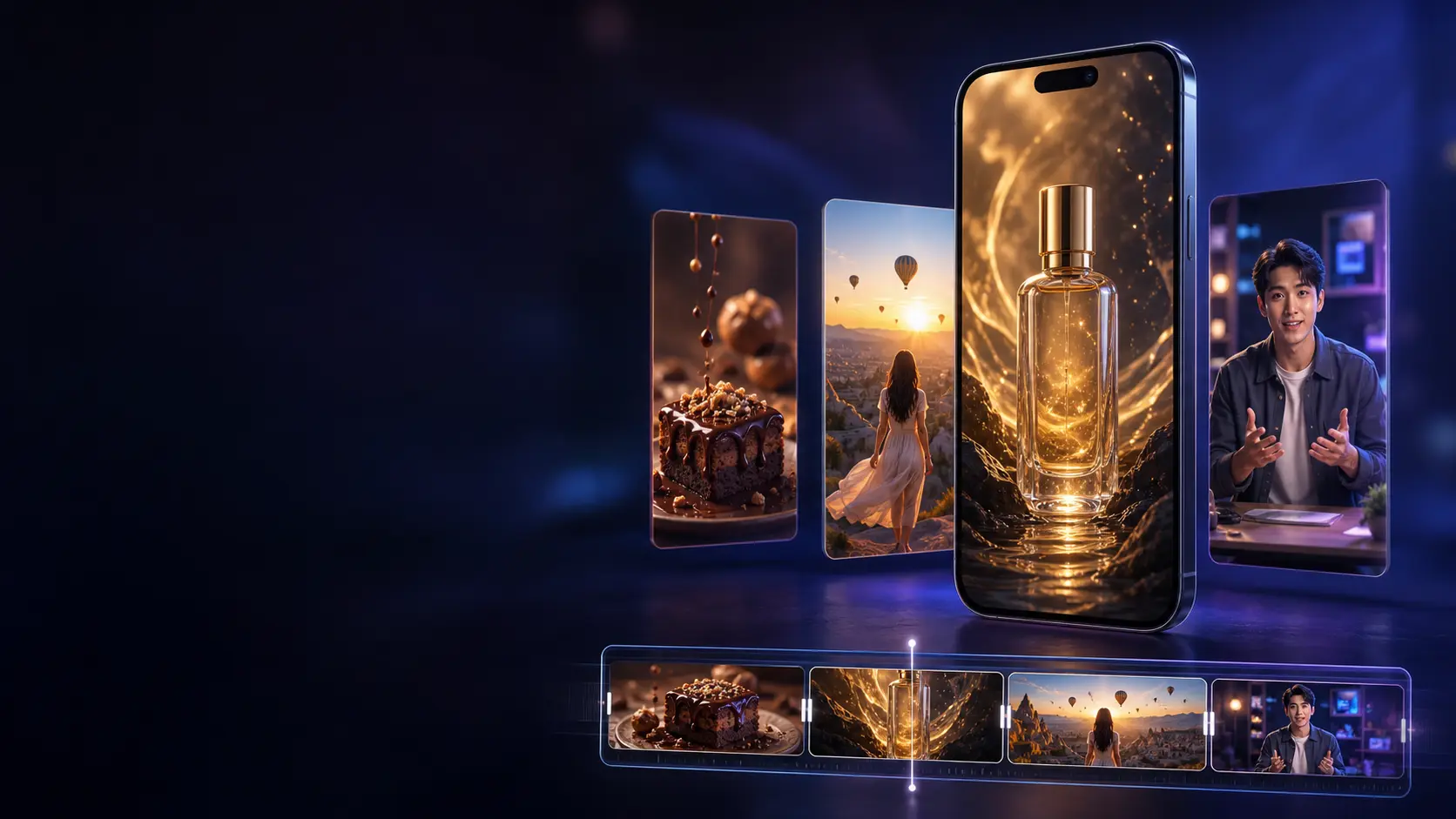
YouTube Shorts 偏愛這樣的創意:能迅速抓住注意力,在手機螢幕上表達清楚,並且給觀眾繼續看下去的理由。Gemini Omni 可以幫助創作者從文字提示詞、參考圖和既有的視覺構想出發,製作這類直式短影片,而不需要籌備傳統的拍攝。
不過,光是選擇 9:16 畫面比例,並不足以做出一支有效的 Shorts。真正成功的作品還需要有力的開場、適合手機的構圖、受控的運動、恰當的聲音,以及與長度相符的結構。
本指南會說明如何用 Gemini Omni 製作 YouTube Shorts,包括建議的輸出設定、一套可重複使用的製作流程,以及實用的 9:16 提示詞範例。
Gemini Omni 可以做 YouTube Shorts 嗎?
Gemini Omni 可以生成 9:16 畫面比例的直式影片,適用於 YouTube Shorts、Instagram Reels、TikTok 以及其他直式影片平台。
依產品或實作方式不同,Gemini Omni 可能支援大約 3 到 10 秒的短片段。部分介面會提供 4、6、8、10 秒等固定選項。
一支 YouTube Short 可以遠長於單一生成片段。目前長度不超過三分鐘的方形或直式影片都可以被歸類為 Shorts,但這不代表你應該試著一次生成整整三分鐘的影片。
更可控的做法,是生成幾段聚焦的片段,然後在剪輯階段組合起來。例如,一支 30 秒的 Shorts 可以包含:
- 5 秒的視覺鉤子
- 8 秒的問題或鋪陳
- 兩段 6 秒的示範片段
- 5 秒的結論或行動呼籲
分開生成場景,可以讓你在替換某個較弱的鏡頭時,不必重做整支影片。
建議的 YouTube Shorts 格式
以下設定可作為實用的起點:
| 設定項目 | 建議值 |
|---|---|
| 畫面比例 | 9:16 |
| 解析度 | 1080 × 1920 |
| 檔案格式 | MP4 |
| 影片編碼 | H.264 |
| 影格率 | 24 或 30 FPS |
| 音訊編碼 | AAC |
| 音訊取樣率 | 48 kHz |
| 色彩空間 | SDR BT.709 |
| 單段長度 | 每個生成場景 4–10 秒 |
| 成品總長度 | 創意允許的最短長度;最長支援三分鐘 |
YouTube 也可以把方形影片歸類為 Shorts,但 9:16 能占用更多手機螢幕面積,通常是行動優先內容更合適的預設選擇。
不要在直式影片兩側加黑邊。請以原生 9:16 畫布輸出專案。
理解直式安全區
YouTube 會在 Shorts 上層顯示介面元素,包括標題、頻道資訊、互動控制項和其他互動元素。它們的確切位置可能隨裝置和 App 版本而改變。
請讓關鍵內容遠離畫面的極邊緣。
可靠的構圖通常會把:
- 人臉放在偏上中段區域
- 產品放在畫面垂直中軸附近
- 重要動作放在畫面中間 70–80% 的範圍內
- 關鍵文字遠離底部和右側邊緣
- 細小的視覺細節靠近中心
不要要求模型把關鍵資訊直接貼著底邊擺放,它可能會被字幕或介面元素遮住。
如果生成的影片中含有文字,發布前請逐字核對。至於重要的字幕和行動呼籲,在剪輯軟體裡加上通常比在畫面內生成更可靠。
第 1 步:從一個清楚的短影音創意開始
一支 YouTube Short 通常只需要傳達一個核心創意。
薄弱的構想:
Create an exciting video about technology, creativity, marketing, AI, the future, and productivity.
聚焦的構想:
Show a blank product sketch becoming a finished luxury sneaker in eight seconds.
聚焦版本給了模型一個清楚的視覺轉變,也給了觀眾立刻繼續看下去的理由。
在寫完整提示詞之前,先用一句話總結這支 Shorts:
這支 Shorts 展示 ______ 變成 ______,讓觀眾理解 ______。
如果你沒辦法把這句話說清楚,那這個創意對一支短影片來說可能太籠統了。
第 2 步:設計前兩秒
開場應該幾乎立刻傳達出運動、對比、意外、好奇,或一個可辨識的問題。
緩慢的定場鏡頭在長片裡可能有效,但在 Shorts 裡往往浪費寶貴時間。與其從一個空房間開始、等主體走進畫面,不如直接從動作附近切入。
可用的鉤子包括:
- 產品從粒子爆發中浮現
- 戲劇性的前後對比轉變
- 主持人拋出一個直接的問題
- 一個微縮世界圍繞日常物件成形
- 出人意料的鏡頭運動
- 一個已經在進行中的視覺過程
- 主體揭曉前的一個意外聲響
請明確描述鉤子:
Begin immediately with the unopened package shaking on the table. Do not use a slow introduction.
不要讓 Gemini Omni 去猜哪一刻最重要。
第 3 步:選擇正確的 Gemini Omni 工作流程
不同類型的 Shorts 需要不同的起始素材。
文字轉影片
當創意不依賴既有的產品、人物、角色或設計時,使用文字轉影片。
它適合:
- 電影感構想
- 令人滿足的視覺過程
- 自然與旅行場景
- 抽象轉變
- 知識型視覺化
- 氛圍類空鏡
圖片轉影片
當某個特定主體必須可辨識時,請使用參考圖。
它適合:
- 產品示範
- 一致的 AI 虛擬形象
- 插畫動態化
- 角色影片
- 時尚構想
- 品牌視覺素材
請說明上傳的圖片應該作為身分參考,還是作為字面上的第一格畫面:
Use the uploaded image as a visual identity reference. Do not use it as a frozen first frame.
如果你希望影片就從這張圖開始,請寫:
Use the uploaded image as the opening frame, then begin the described movement naturally.
影片編輯
當原有的運動已經可用、只需要改動某一個元素時,使用影片編輯。
請讓修改請求保持聚焦:
Change the background to a rainy neon street. Keep the subject, action, camera movement, timing, and audio unchanged.
簡短的編輯指令,通常更容易保住既有影片中已經成功的部分。
功能可用性可能因產品、方案、地區和介面而異。
第 4 步:分層建構提示詞
一則有效的 9:16 影片提示詞可以拆成七個部分:
- 格式
- 主體
- 鉤子
- 動作
- 鏡頭
- 光線與風格
- 聲音與排除項目
可重複使用的結構如下:
Create a [duration]-second vertical 9:16 video for YouTube Shorts.
Subject: [main person, product, object, or environment].
Hook: [what happens in the first one or two seconds].
Action: [the exact sequence of visible events].
Camera: [shot size, angle, and movement].
Lighting and style: [visual treatment and mood].
Audio: [dialogue, ambience, effects, and music].
Keep the main subject inside the central mobile-safe area. Do not add subtitles, logos, extra people, black bars, borders, or unreadable text.
這個結構把創意本身與技術限制區分開來。
第 5 步:使用以時間為基礎的指令
當一個短片段裡必須發生多個事件時,請描述它們的時間安排。
例如:
[0–2s] A sealed silver package shakes on a black table.
[2–5s] The package unfolds into hundreds of metallic strips.
[5–8s] The strips assemble into a futuristic running shoe.
[8–10s] The finished shoe rotates slowly as the camera moves closer.
時間區間並不能保證逐格精確,但它比一大段文字更清楚地傳達了你想要的節奏。
不要在一個片段裡塞進太多事件。如果每一秒都引入新的主體、地點、鏡頭角度和特效,結果可能會顯得雜亂不穩。
對大多數 Shorts 來說,三到四個視覺節拍就夠了。
第 6 步:為 9:16 影片控制鏡頭
直式構圖會改變鏡頭運動帶來的觀感。
大幅度的橫向搖鏡在橫式影片裡可能揭示有用資訊,但在狹窄的直式畫面裡發揮空間有限。向前推進、縱向運動、貼近跟拍以及受控的主體運動,往往效果更好。
實用的鏡頭指令包括:
- 穩定的中景
- 緩慢的鏡頭推進
- 低角度向上仰拍
- 平順的後退跟拍
- 輕柔的手持特寫
- 俯拍並朝主體靠近
- 由下而上的緩慢揭示
- 鎖定機位、讓運動發生在畫面內
避免在一次短生成裡組合多種鏡頭運動。
不要這樣寫:
The camera circles, zooms, tilts, flies upward, and then rapidly tracks backward.
而應該寫:
The camera makes one smooth clockwise quarter-orbit while maintaining a medium close-up.
一個描述清楚的運動更容易執行,觀眾在手機螢幕上也更容易看懂。
第 7 步:有意識地為聲音撰寫提示詞
在加字幕或剪輯之前,聲音就能讓一支 Shorts 顯得完成度很高。
請像描述畫面一樣認真描述聲音:
- 環境氛圍音
- 產品音效
- 台詞
- 音樂風格
- 節奏變化
- 關鍵的靜默時刻
例如:
Sound design: a soft paper tear, three precise mechanical clicks, and a restrained electronic beat that rises during the final reveal. No dialogue.
主持人類影片可以這樣寫:
Voice: warm adult female voice, confident and conversational, moderate pace, clear pronunciation. Quiet studio ambience underneath the dialogue.
台詞要短到能塞進片段長度。一支 8 秒的主持人影片,通常用一句簡潔的話比一整段文字效果更好。
不要不加檢查就直接採用生成的音樂或台詞。請仔細聽是否有發音錯誤、失真、突兀的結尾、音量過大,以及與動作不搭的音效。
並非所有 Gemini Omni 實作都提供語音編輯和可重複使用的語音功能。當聲音連續性很重要時,你可能需要在剪輯階段補上最終旁白。
五個 Gemini Omni 9:16 提示詞範例
以下提示詞可依不同的 YouTube Shorts 頻道改寫。
提示詞 1:電影感產品揭曉
Create an eight-second vertical 9:16 product reveal for YouTube Shorts.
[0–2s] Begin immediately with a transparent luxury perfume bottle emerging from a pool of dark reflective liquid. Tiny droplets move outward in slow motion.
[2–6s] A narrow ribbon of warm golden light travels around the bottle while the camera makes one smooth clockwise quarter-orbit.
[6–8s] End on a stable close-up with realistic reflections passing through the glass.
Dark premium studio, black stone surface, warm gold highlights, photorealistic commercial lighting, restrained cinematic color grading.
Sound design: deep soft impact at the beginning, delicate glass chime during the orbit, subtle room ambience. No dialogue.
Keep the bottle centered inside the vertical mobile-safe area. No labels, no subtitles, no logos, no extra products, no black bars, and no scene cuts.
提示詞 2:療癒系美食短片
Create an eight-second vertical 9:16 food video for YouTube Shorts in one continuous macro shot.
Begin immediately with a spoon breaking through the caramelized top of a small crème brûlée. Show the crisp sugar layer cracking into delicate pieces.
The spoon moves slowly into the soft custard and lifts one smooth portion toward the camera. A thin curl of steam is visible in warm backlight.
Stable close-up, shallow depth of field, realistic food texture, warm restaurant lighting, natural color, premium food cinematography.
Sound design: a clear sugar crack, soft spoon movement, and quiet café ambience. No music and no dialogue.
Keep the dessert and spoon centered. No hands covering the food, no text, no logos, no extra dishes, no cuts, and no exaggerated slow motion.
提示詞 3:旅行風格直式場景
Create a ten-second vertical 9:16 travel video for YouTube Shorts.
[0–3s] Start behind a lone traveler as she opens a wooden balcony door onto a dramatic mountain valley at sunrise.
[3–7s] The camera follows her forward in one smooth tracking movement as warm sunlight enters the room and morning mist moves through the valley.
[7–10s] She stops at the balcony, and the camera rises slightly to reveal the landscape above her shoulders.
Natural cinematic realism, soft golden morning light, subtle wind moving her hair and clothing, detailed mountain atmosphere.
Sound design: wooden door movement, gentle wind, distant birds, and quiet uplifting instrumental music.
Keep the traveler near the center of the vertical frame. No dialogue, no subtitles, no logos, no abrupt cuts, and no drone-style camera flight.
提示詞 4:AI 虛擬形象主持
Use the uploaded portrait only as the identity reference for an original fictional adult presenter. Do not use the image as a frozen first frame.
Create a ten-second vertical 9:16 presenter video for YouTube Shorts. Preserve the presenter's face, hairstyle, apparent age, clothing, accessories, skin tone, and body proportions.
She stands in a warm modern creative workspace, framed in a stable medium shot. She looks directly into the camera and says:
"Great Shorts begin with one clear idea. Show the result first, then explain how you made it."
She makes one small open-hand gesture during the first sentence and points gently toward a screen during the second sentence.
Voice: warm adult female voice, confident and helpful, moderate pace, clear pronunciation, natural pauses.
Soft window light, realistic skin texture, accurate lip synchronization, natural blinking, restrained gestures, and a clean background.
Keep her face and hands inside the central mobile-safe area. No subtitles, no text overlays, no logos, no extra people, no cuts, and no changes to her identity or clothing.
提示詞 5:房間改造前後對比
Create an eight-second vertical 9:16 interior transformation video for YouTube Shorts with a locked camera.
[0–2s] Show a small empty apartment room with plain white walls, an uncovered concrete floor, and one large window.
[2–6s] The room transforms in a continuous wave moving from the back wall toward the camera. Warm wooden flooring, a cream sofa, plants, shelves, soft curtains, and modern lighting appear naturally in sequence.
[6–8s] End on the completed comfortable living room as the curtains move gently in the breeze.
Realistic interior design, warm Scandinavian-inspired palette, natural daylight, accurate perspective, believable materials.
Sound design: restrained whoosh during the transformation, soft placement sounds, and calm ambient music at the end.
No people, no text, no logos, no camera movement, no walls changing position, and no objects intersecting.
第 8 步:檢查第一次生成結果
不要只憑最好看的一格畫面來評斷生成的 Shorts。
請完整看幾遍成品,並檢查:
- 前兩秒是否製造了興趣?
- 主體在手機大小的螢幕上是否容易理解?
- 動作是否照預期順序進行?
- 鏡頭運動是否穩定?
- 影片是否用滿了整個直式畫面?
- 臉部、手部、產品和文字在視覺上是否正確?
- 聲音是否與動作相符?
- 結尾是否顯得是刻意安排?
- 如果需要,這段片段能否自然循環?
一段畫面驚豔的片段,如果鉤子來得太晚或結尾戛然而止,作為 Shorts 依然是失敗的。
第 9 步:用聚焦的指令進行優化
如果生成結果大致正確,請提出一處聚焦的修改,而不是重寫整則提示詞。
例如:
Make the opening transformation begin immediately. Keep everything else the same.
Keep the product centered throughout the camera movement. Keep everything else the same.
Reduce the camera speed and stabilize the final close-up. Keep everything else the same.
Remove the background music but preserve the sound effects and ambience. Keep everything else the same.
Make the presenter's hand gesture smaller and more natural. Keep everything else the same.
聚焦的編輯請求給了模型更明確的目標,也降低了破壞已成功細節的風險。
如果整體構圖都不對,那麼重新生成往往比在一個薄弱結果上反覆編輯更有效率。
第 10 步:組合多個片段
Gemini Omni 生成的是短場景,而不是完整的三分鐘成品。要做一支更長的 Shorts,請在直式剪輯時間軸上把多個生成片段組合起來。
請使用 1080 × 1920 的序列,並盡可能讓專案影格率與生成素材保持一致。
一個實用的 30 秒結構可以是:
| 時間 | 作用 |
|---|---|
| 0–3 秒 | 展示成果或最強的視覺 |
| 3–8 秒 | 拋出問題或痛點 |
| 8–20 秒 | 展示兩到三段過程片段 |
| 20–27 秒 | 給出解釋或結論 |
| 27–30 秒 | 以循環、總結或行動呼籲收尾 |
請果斷剪掉停頓,但也別切得太快,讓觀眾來不及看懂主體。
請用一致的色彩、音量、角色參考、產品和鏡頭方向來統一各個片段。如果同一個虛擬形象出現在多個場景裡,請重複使用同一張參考圖和同一段身分描述。
第 11 步:加上字幕並輸出
很多觀眾是在低音量或靜音狀態下滑到 Shorts 的。字幕可以提升理解度,對教學類和主持人類影片尤其如此。
字幕要簡潔:
- 一次只顯示一個短句
- 選擇大字級、易讀的字體
- 使用高對比
- 讓文字遠離底部和右側邊緣
- 不要遮住主體的臉或產品
- 手動檢查拼字
- 讓字幕與語音對齊
輸出為 MP4,影片用 H.264、音訊用 AAC。對於標準的 1080 × 1920、24 或 30 FPS 的 Shorts,影片位元率約 8 Mbps 是合理的上傳目標。請保留原始影格率,不要做不必要的轉換。
當你的編碼器提供 "Fast Start" 或 "Web Optimized" 選項時,請確認輸出的 MP4 已針對串流最佳化,也就是中繼資料被放在檔案開頭。
常見的 YouTube Shorts 提示詞錯誤
忘記指定 9:16
有些提示詞描述的是行動裝置影片,卻沒有明確要求直式畫面比例。請在介面中選擇 9:16,並在提示詞裡再說明一次。
開場太慢
不要把一段 8 秒片段的一半時間花在交代環境上。請從最有意思的動作附近開始。
把重要內容放在邊緣
介面浮層可能遮住文字、產品和小物件。請讓關鍵內容靠近中心。
塞進太多場景
一個短片段無法可靠地同時表達五個地點、多位角色、數種鏡頭運動、台詞和一次產品轉變。
請把創意拆成多次獨立生成。
台詞寫得太長
台詞過多會導致語速倉促、唇形同步變差。生成前請把台詞唸一遍,確認它能在長度內從容說完。
放任模型編造文字
生成的標示、標籤和字幕可能是錯的。除非畫面內文字對創意本身不可或缺,否則請在剪輯階段加上重要的行銷文案。
忽視聲音
出乎意料的音樂或人聲,會改變一支本來可用的影片的調性。請明確說明你要的是台詞、音樂、環境音、音效,還是靜默。
上傳帶黑邊的橫式片段
不要把橫式影片放進直式畫布、留下大片空白區域。請有意識地按 9:16 生成或裁切。
常見問題
YouTube Shorts 該用什麼畫面比例?
請使用 9:16 以獲得全螢幕直式體驗。最終輸出用 1080 × 1920 解析度是實用的標準。
YouTube Short 可以多長?
目前方形或直式的 YouTube Short 最長可達三分鐘。不過理想長度取決於創意本身,不要只因為平台允許就把影片拉長。
Gemini Omni 的影片片段有多長?
可用長度取決於具體產品或實作方式。Gemini Omni 通常生成不超過約 10 秒的短片段,這些片段可以組合成一支更長的 Shorts。
Gemini Omni 能生成音訊嗎?
Gemini Omni 可以生成帶有搭配音軌的影片,也可以透過提示詞要求台詞、環境音、音樂和音效。發布前請檢查所有生成的音訊。
我可以為多支 Shorts 打造同一位主持人嗎?
可以。請使用一張乾淨的角色參考圖,重複同一段身分描述,維持相同的服裝和聲音方向,並在更換環境之前先生成一段可控的基準片段。
字幕應該在影片裡生成嗎?
對於重要字幕,在剪輯階段加上通常更可靠。這樣你可以直接掌控拼字、時間、字體、位置和安全區。
我可以一次生成完整的三分鐘 Shorts 嗎?
多片段工作流程更實際。請分別生成每個場景,挑出最好的版本,再在直式剪輯軟體裡組合起來。
結語
用 Gemini Omni 做 YouTube Shorts,遠不只是把畫面比例切換成 9:16。最好的結果,來自聚焦的創意、立刻生效的鉤子、適合手機的構圖、受控的鏡頭運動、有意識的聲音設計,以及克制的剪輯。
從一個簡短的視覺概念開始。描述前兩秒發生了什麼,把主體維持在中央安全區內,並把複雜故事拆成多個獨立片段。當必須發生多個事件時使用以時間為基礎的指令,並且做聚焦的修改,而不是重寫已經成功的生成結果。
片段準備好之後,把它們放進 1080 × 1920 的時間軸,加上清楚易讀的字幕,檢查音訊,然後輸出一支沒有黑邊的乾淨直式 MP4。
用 Gemini Omni 開始製作你的下一支直式影片吧,並把每一個生成片段都當作最終 YouTube Short 中經過精心規劃的一塊積木。